Businesses in Dubai are adopting digital tools faster than ever, but many organizations still face a common problem: their systems do not work together.
Sales teams use one platform, finance uses another, customer support uses a different tool, and managers still rely on spreadsheets for reporting. As a result, data becomes scattered, teams lose time, and important customer information gets missed.
This is why Zoho integration in Dubai has become an important part of business growth and digital transformation.
Zoho offers a powerful ecosystem that includes Zoho CRM, Zoho Books, Zoho Desk, Zoho Creator, and Zoho One. However, these applications create the greatest value when they are connected with each other and with existing business systems such as ERP, accounting software, websites, email, telephony, and marketing platforms.
From a CRM consulting perspective, integration is no longer optional. Businesses in the GCC region commonly face challenges such as disconnected departments, manual processes, duplicate data, and poor visibility into operations. Zoho integration solves these problems by creating one connected platform across the organization.
In this article, you will learn what Zoho integration in Dubai means, why it matters, the most common integration types, implementation best practices, common mistakes to avoid, and how Pentacloud Consulting helps businesses build connected systems.
What Is Zoho Integration?
Zoho integration means connecting Zoho applications with other software platforms so that information flows automatically between systems.
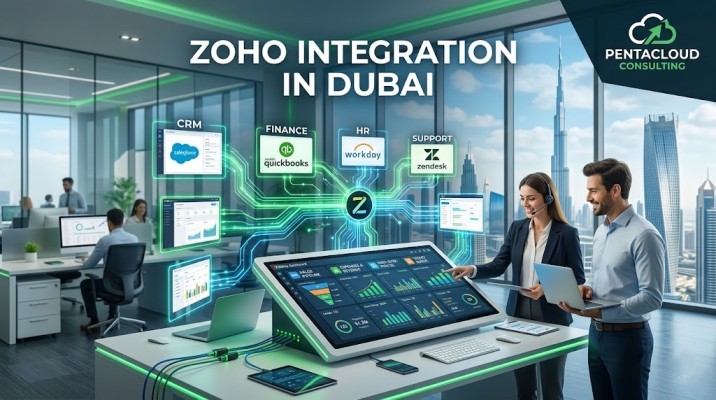
For example, when a customer submits a form on your website, the lead can automatically appear in Zoho CRM. When the sales team closes a deal, the data can move directly into Zoho Books to create an invoice. If the customer later raises a support issue, Zoho Desk can access the same information instantly.
Instead of entering the same information multiple times, businesses can automate the flow of data.
A typical Zoho integration project may involve:
- Zoho CRM and website integration
- Zoho CRM with ERP systems
- Zoho Books with accounting software
- Zoho Desk with customer support channels
- Zoho One with internal business systems
- WhatsApp, telephony, or email integration
- Marketing automation and lead tracking
The result is a more connected, efficient, and scalable business.
Why Zoho Integration Matters for Businesses in Dubai
Dubai businesses often operate across multiple departments, countries, currencies, and customer touchpoints. Without integration, teams work in silos and decision-makers do not have a complete view of the business.
Businesses in the GCC region commonly face these issues:
- Duplicate customer records
- Manual reporting
- Delayed follow-ups
- Errors in invoicing or data entry
- Lack of visibility between departments
- Slow response to customers
Zoho integration helps solve these problems.
Better Data Accuracy
When systems are connected, information updates automatically. This reduces errors and ensures every team works with the same customer data.
Faster Decision-Making
Managers can access real-time dashboards and reports instead of waiting for manual updates.
Improved Customer Experience
Customers receive faster responses because sales, finance, and support teams can see the same information.
More Productivity
Employees spend less time copying data and more time focusing on important business tasks.
According to research from McKinsey and Forrester, businesses that successfully integrate systems improve productivity, reduce operational costs, and create better customer experiences.
Common Types of Zoho Integration in Dubai
Different businesses require different types of integration depending on their industry and operational needs.
Zoho CRM Integration
Zoho CRM is often the center of the integration process because it stores customer, sales, and lead data.
Common Zoho CRM integrations include:
- Website lead forms
- Email systems
- Telephony platforms
- ERP software
- E-commerce platforms
- Marketing tools
For example, a real estate company in Dubai can integrate website inquiries directly into Zoho CRM and automatically assign leads to the right agent.
Zoho Books Integration
Zoho Books integration connects finance with sales.
When a sales deal closes in Zoho CRM, the information can automatically move to Zoho Books to generate invoices, track payments, and manage accounting.
This is especially useful for businesses that want better visibility between revenue and operations.
Zoho Desk Integration
Customer support becomes more effective when Zoho Desk is connected with CRM and communication tools.
Support teams can immediately see customer history, previous orders, and open opportunities.
This reduces response time and improves customer satisfaction.
Zoho One Integration
Zoho One is an all-in-one platform that combines CRM, finance, HR, support, and marketing applications.
For businesses planning long-term growth, Zoho One integration creates a single platform across the organization.
Zoho Creator Integration
Zoho Creator helps businesses build custom applications that connect with other Zoho products.
For example, a logistics company may use Zoho Creator to manage delivery operations while integrating it with Zoho CRM and Zoho Books.
How Zoho Integration Works
A successful Zoho integration project follows a clear process.
Step 1: Understand Business Requirements
The first step is identifying which systems need to be connected and what business goals the integration should support.
In enterprise implementations we often see companies focus only on technical integration while ignoring process improvement. The best results happen when businesses first define their operational challenges.
Step 2: Map Data and Workflows
The next step is deciding how data should move between systems.
For example:
- New leads from the website go to Zoho CRM
- Approved deals create invoices in Zoho Books
- Customer complaints generate tickets in Zoho Desk
Step 3: Build the Integration
Integration can be created using:
- Zoho APIs
- Pre-built connectors
- Third-party middleware
- Custom workflows
Step 4: Test the System
Before launch, businesses should test every process carefully to ensure information flows correctly.
Step 5: Train Employees and Launch
After testing, employees receive training so they know how to use the integrated system.
Common Mistakes to Avoid in Zoho Integration Projects
Many integration projects fail because businesses rush into implementation without a proper plan.
Ignoring Data Quality
If old data is incomplete or duplicated, integration problems will continue even after the new system is live.
Connecting Too Many Systems at Once
Trying to integrate every system immediately can make the project complicated. Start with the most important processes first.
Not Involving End Users
Employees who use the system every day should be involved in planning and testing.
Choosing the Wrong Integration Partner
A generic software company may understand technology but not business processes. Choose a Zoho partner that understands both.
No Ongoing Support
Integration is not a one-time task. Systems need monitoring, updates, and optimization over time.
Zoho vs Salesforce Integration: Which Is Right for Your Business?
Some businesses in Dubai compare Zoho with Salesforce before making a decision.
Zoho is often more affordable and easier to implement for small and mid-sized companies. Salesforce may be a better fit for enterprises with highly complex requirements.
Salesforce offers advanced capabilities such as Sales Cloud, Service Cloud, Marketing Cloud, Salesforce Flow, and AppExchange.
However, many businesses prefer Zoho because it provides strong functionality at a lower cost and supports quick integration.
From a consulting perspective, the right choice depends on your budget, industry, growth plans, and technical requirements.
Pentacloud Consulting helps businesses evaluate both Zoho and Salesforce to choose the best solution.
Why Pentacloud Consulting Is the Right Zoho Integration Partner in Dubai
Pentacloud Consulting helps businesses across Dubai, UAE, Saudi Arabia, Qatar, and the GCC create connected CRM and business systems.
Our team provides:
- Zoho CRM integration
- Zoho One implementation
- Data migration and system integration
- API and third-party integration
- Automation solutions
- CRM consulting and optimization
- Ongoing support and training
In enterprise implementations we often see the biggest improvements when businesses integrate sales, finance, and support into one connected platform.
Pentacloud Consulting combines technical expertise with business consulting to help companies reduce manual work, improve customer experience, and grow faster.
People Also Ask
What is Zoho integration in Dubai?
Zoho integration in Dubai refers to connecting Zoho applications with other business systems such as ERP, accounting software, websites, customer support tools, and communication platforms.
How much does Zoho integration cost?
The cost depends on the number of systems, level of customization, and complexity of the project. Simple integrations cost less, while enterprise integrations involving APIs and multiple departments require a larger investment.
Can Zoho integrate with ERP software?
Yes. Zoho can integrate with ERP systems, accounting tools, e-commerce platforms, websites, and many third-party applications through APIs and custom connectors.
How long does a Zoho integration project take?
Small projects may take a few weeks, while complex integrations involving multiple systems and business units may take several months.
Do I need a Zoho partner for integration?
A Zoho partner is highly recommended because integration requires technical expertise, business process understanding, testing, and ongoing support.
Conclusion
Zoho integration in Dubai is essential for businesses that want to improve productivity, automate processes, and create a better customer experience.
Instead of working with disconnected systems, companies can connect sales, finance, support, and operations into one platform.
Whether you need Zoho CRM integration, Zoho Books integration, Zoho Desk, Zoho One, or custom API development, Pentacloud Consulting can help.
Contact Pentacloud Consulting today to discover how Zoho integration can transform your business and support your long-term growth.